Who gets to play can be changed whenever you want.
Set the reach first, then tidy up how it looks.
- 01
Hit
SettingsSettingsis in the toolbar at the bottom of the make screen. It opensChoose how to publish. - 02
Pick who can play
Only people with the URLmeans whoever you sent the link to.Everyonemeans people can find it in listings and on your profile.Allow remixinglets players build their own game from yours. Then hitPublish.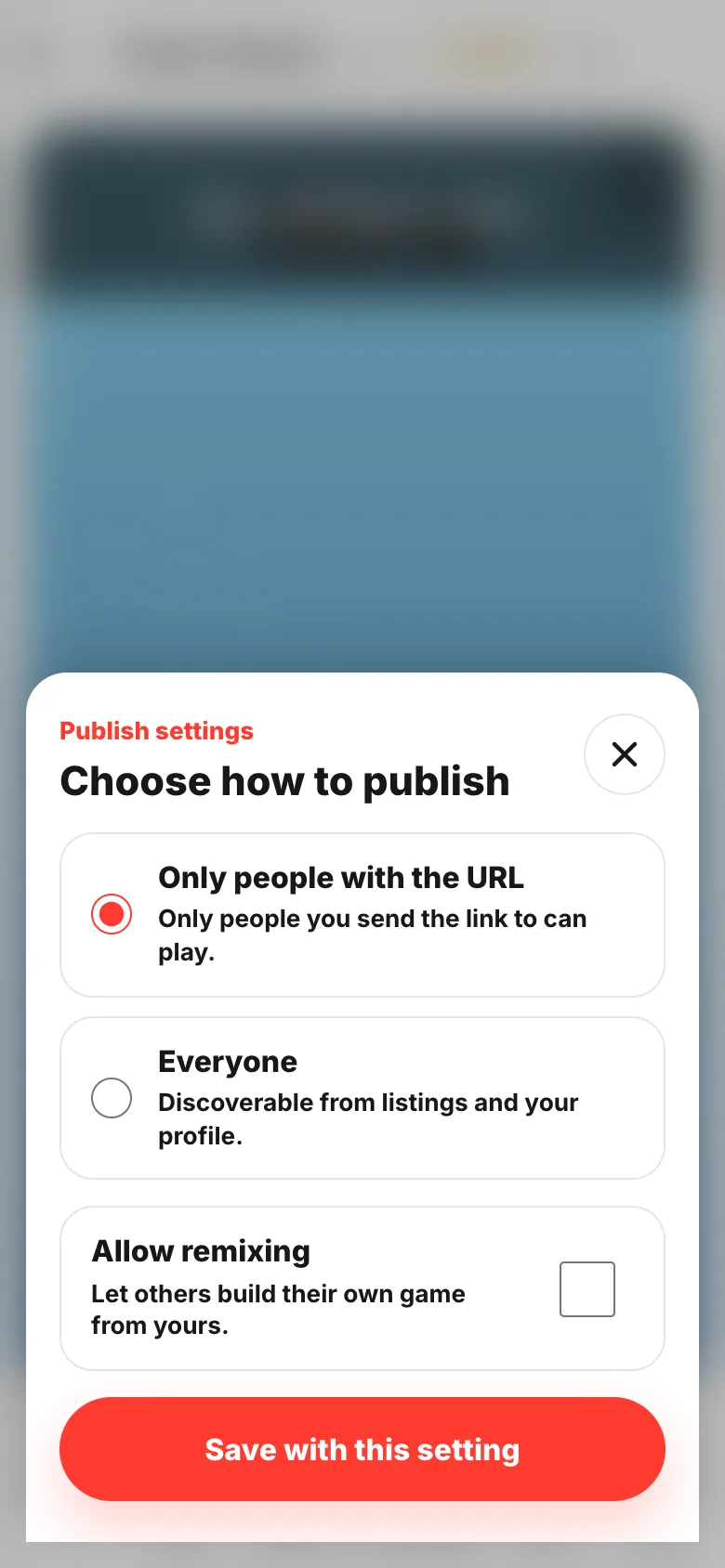
- 03
Tidy up the title and thumbnail
Both live on the
Game infoscreen.Regeneratemakes another thumbnail,Uploadswaps in your own image. TheAInext to a label reads the game and writes the text for you.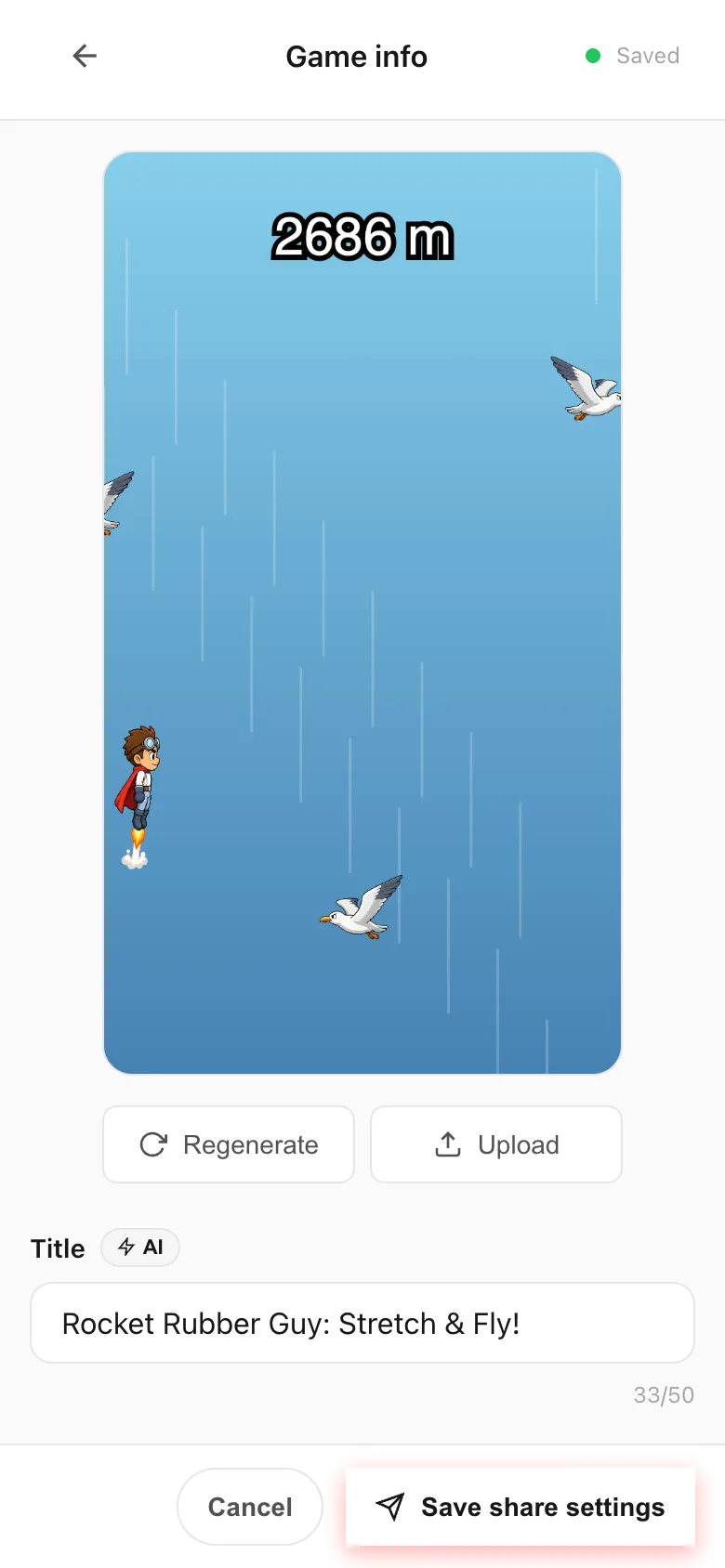
- 04
Set the reach again and save
Scroll down the same screen for
Who can play?.Keep it privatelives here too.Save share settingsat the end makes it stick.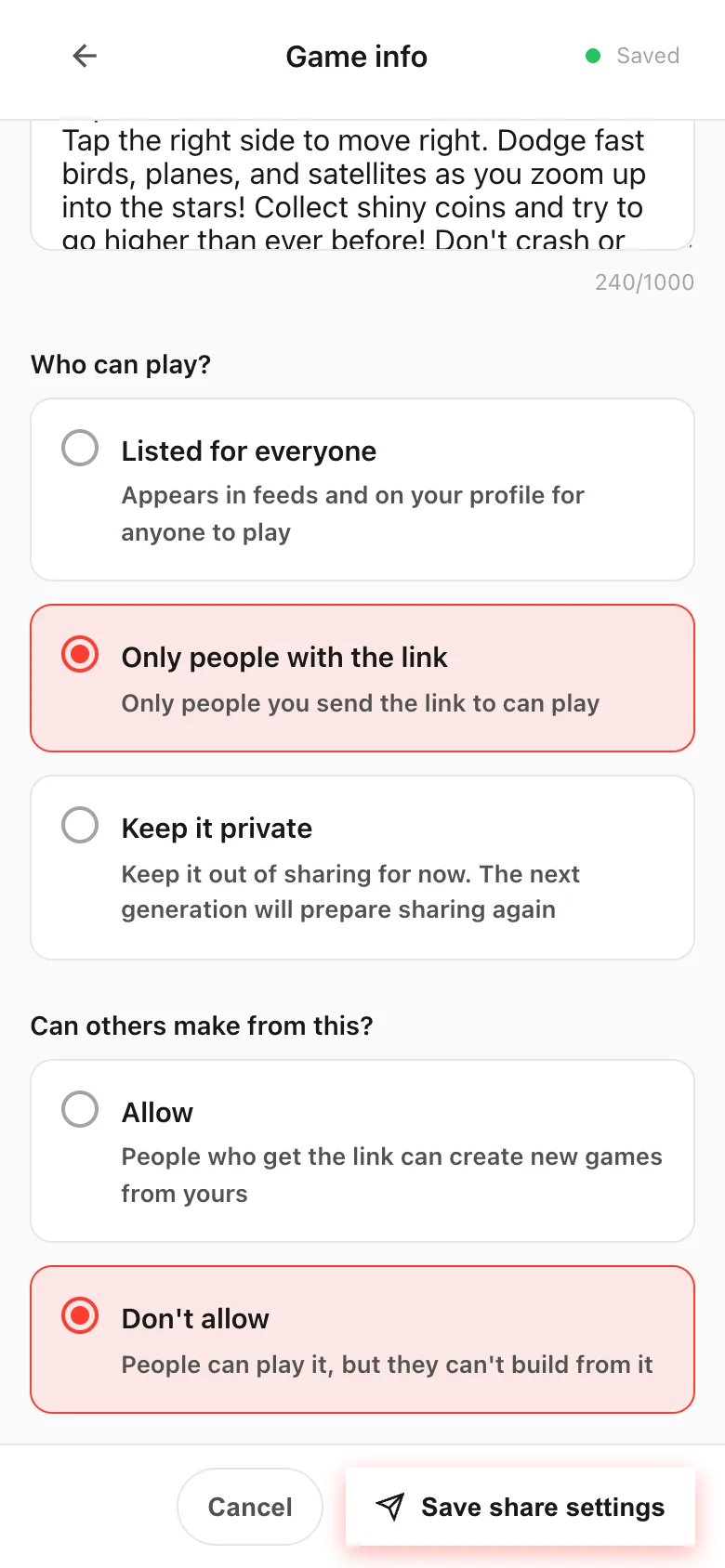
If something goes wrong
A game you set to Keep it private can turn shareable again on its own. That's the rule: the next time you generate that game, sharing gets prepared again. To keep it shut, choose Keep it private once more after generating.
The Settings sheet on the make screen only offers Only people with the URL and Everyone. For Keep it private, open the Game info screen.