My Page is where people get to know you.
Name and picture can be changed whenever you like.
- 01
Open My Page
My Pagein the bottom menu. Your picture and numbers at the top, your name and bio below that, and your games at the bottom. The gear at the top right opens settings.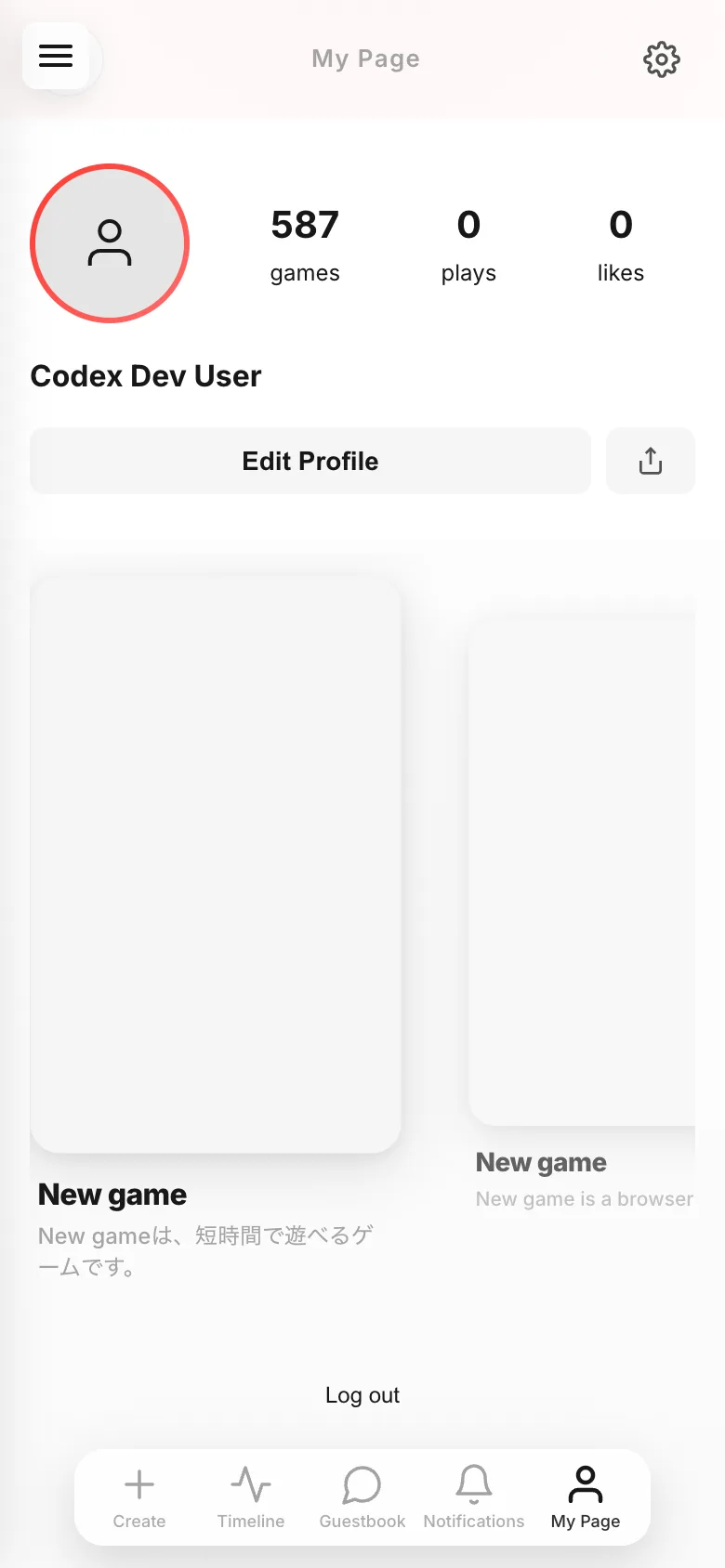
- 02
Change things in
Edit ProfileChange Photoswaps your picture, then write yourDisplay NameandBio. Leaving them empty is fine. HitSaveat the end.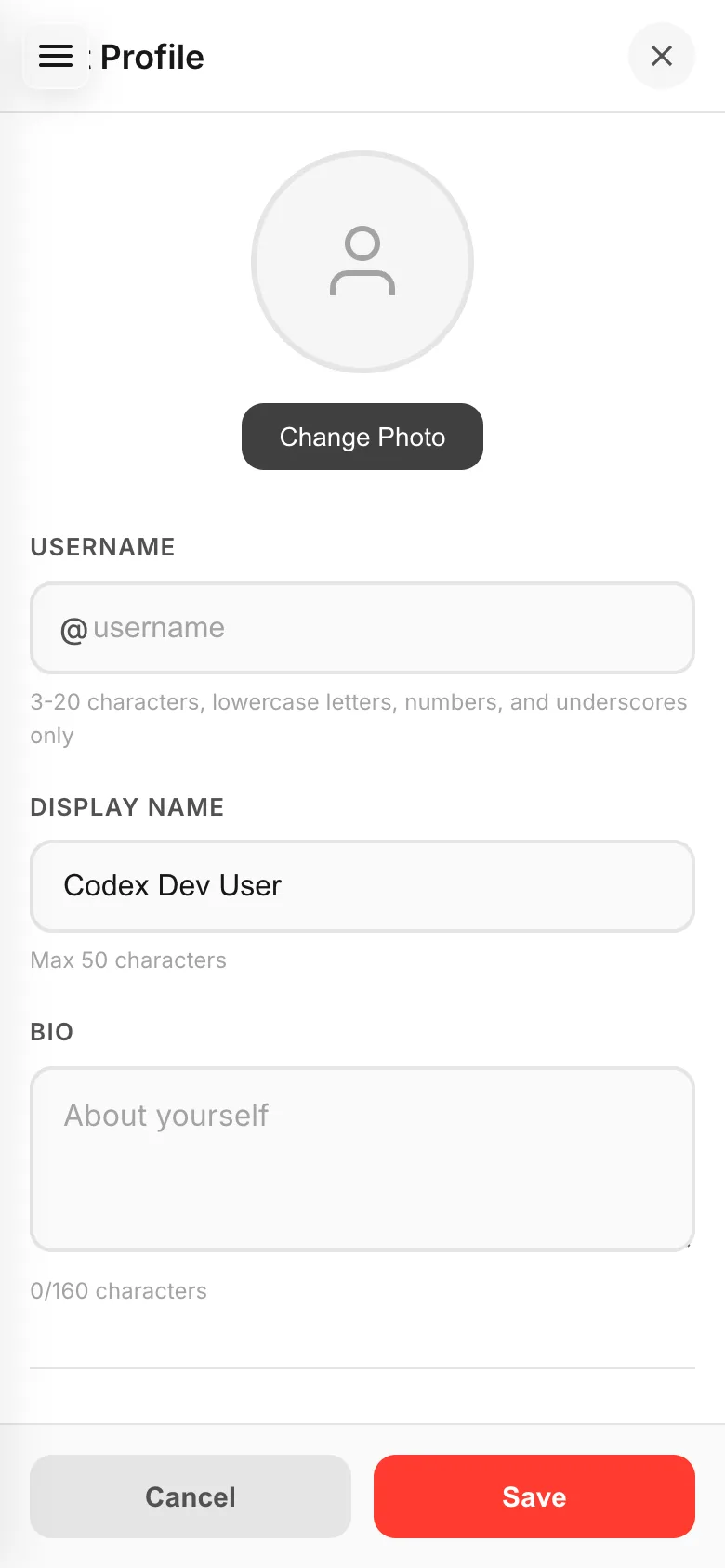
- 03
Choose a username
Set
Usernameon the same screen and your page becomes/@username. Only lowercase letters, numbers and underscores work. Something easy to remember is easier to tell friends. - 04
Send people your page
The button next to
Edit Profilesends a link to your own page, so people can see everything you made in one place.
If something goes wrong
When someone else looks at your profile, only games set to Everyone are listed there. Games set to Only people with the link show on your own My Page but not on theirs. To show more, change who can play that game.
If a username won't save, it has characters that aren't allowed. Capitals and symbols don't work.