If your Android phone is your only computer, you can still make your own game. Open DreamCore in your phone's browser, type the game you want in the chat, and the building is done on our servers, not on your phone. A few minutes later you have a game you can play and send to friends on WhatsApp. No app to install, no PC, no laptop.
What you need, and what you don't
- You need: an Android phone with a browser such as Chrome, an internet connection, and an idea.
- You don't need: a PC or laptop, a game engine, an app download, a credit card, or any coding.
- Your friends need even less: they tap your link and play in their browser. No app, no account.
You only sign in when you press Make (Google, Apple or email), so the game is saved to your account.
From idea to WhatsApp, on one phone
- 01
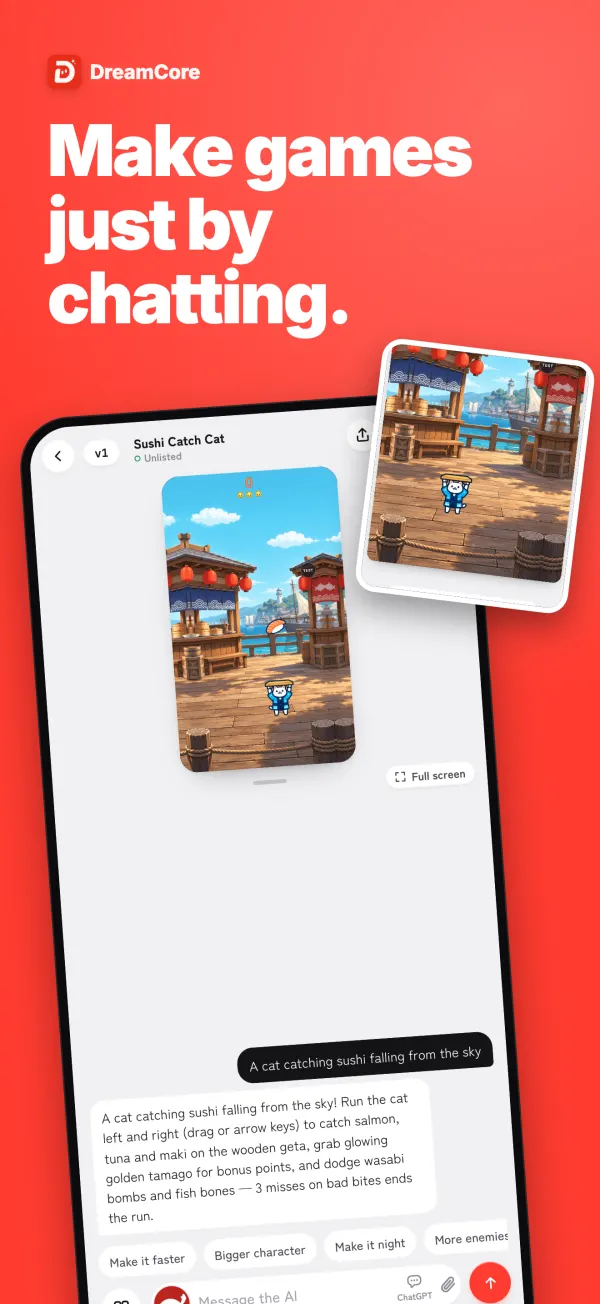
Write the game in a sentence
Open DreamCore in the browser and type what you want into the box on the home screen, like "a scooter dodging potholes on a busy road" or "a cricket ball you tap to hit sixes". Press Make. While it builds, you can switch to another app or lock the screen.
- 02
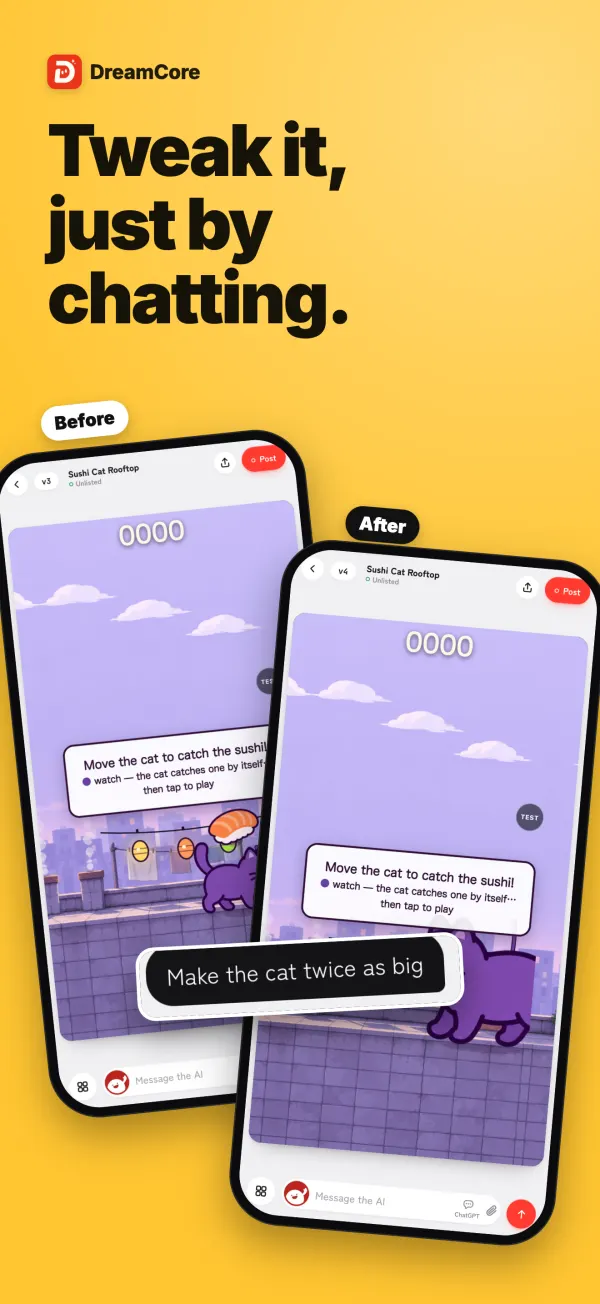
Play it and ask for changes
Play the game right where it was made. If something feels off, say it in the chat: "slower at the start", "add a high score", "bigger buttons". Each message changes the same game, so you can improve it step by step.
- 03
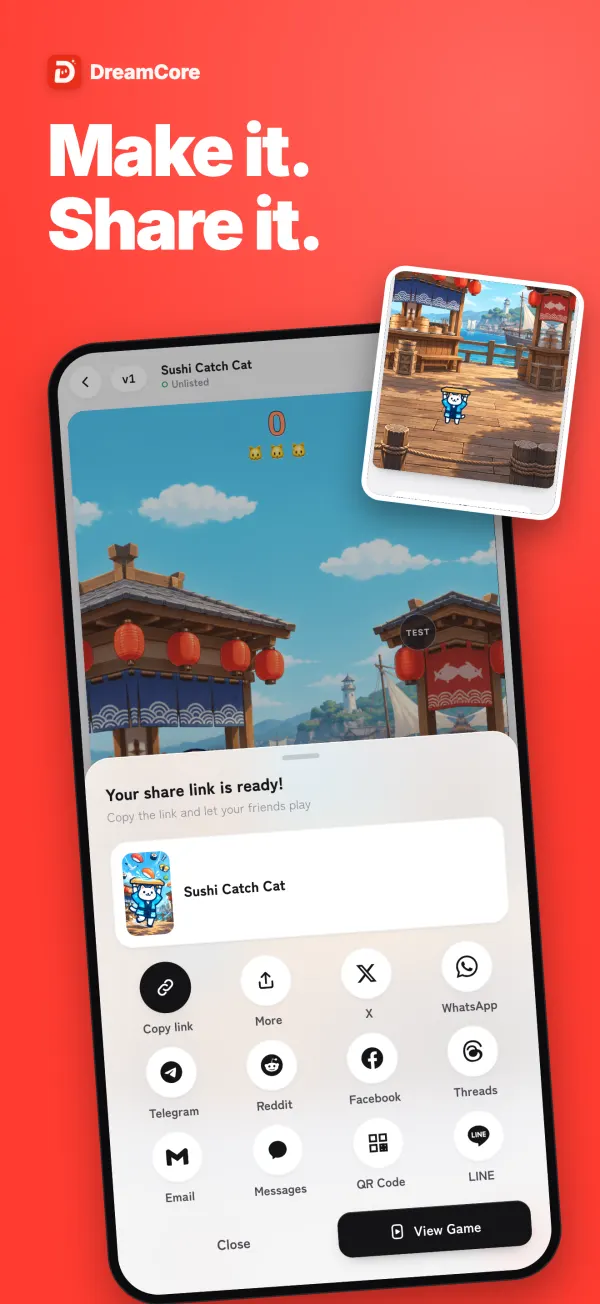
Share it on WhatsApp
Press Share and tap the WhatsApp button, then pick a chat or a group. You can also copy the link and paste it anywhere: a group, your status, or another chat app.
Why a basic Android phone can do this
Making a game with code usually means a computer with a lot of memory and a big screen. DreamCore moves that work off your device. Your phone sends the idea as a chat message, our servers write the game, and your phone only has to play the result in the browser.
That is why an older or low-cost Android phone works. Nothing heavy is installed, nothing big is stored on the phone, and you don't need free space for a game engine. Turn on notifications and we'll tell you when your game is ready.
Made for the people in your group chat
When everyone you know is on a phone, a game that works on a phone is the one that gets played. DreamCore games come with touch controls when opened on a phone, so a friend can tap your link in WhatsApp and start playing in a few seconds.
Some ideas that work well when you send them to a group:
- A high-score challenge. "Tap to jump over puddles, the score goes up every second." Then ask who can beat you.
- A game about your friends. Tap Image under the input box and use a photo, so a friend or your pet becomes the hero. Ask them first if the game will be public.
- A game in your own language. Write the request in the language you chat in, and ask for the text in the game to be in that language too.
If you get a laptop later
Your games are saved to your account, not to the phone. If you borrow a laptop, use a computer at school, or change phones, sign in the same way and your games are there. On a computer the same game plays with the keyboard, so the link works for friends on any device.
Games people made and shared

Hide n seek
by JMB
20 plays

Pull! Hero and Karakasa
by 香る
275 plays

So True! Anything Affirmation Rhythm
by Kosuke
72 plays

Fruit Ninja! Slice Master
by パンパンマン
61 plays

Manya's Sweet Dungeon
by シトラス
43 plays

Neon Swing Racer (Remix)
by ラミー
39 plays

1st Anniversary! Let's Make a Fruit Cake
by ぱっぱら
39 plays

Slice It! Fruit Artisan
by んあーーーーーーーー
38 plays
Frequently asked questions
Can I make a game on Android without a PC or laptop?
Yes. DreamCore runs in the browser on Android phones. You type the idea in the chat, the game is built on our servers, and you play and share it from the same phone.
Do I need to install an app on Android?
No. Open DreamCore in your phone's browser, such as Chrome. There is nothing to download.
Will it work on an old or low-cost Android phone?
The building happens on our servers, not on your phone, so your phone only sends messages and plays the finished game. That is why older phones work.
How do I send my game on WhatsApp?
Press Share and tap the WhatsApp button, then choose a chat or a group. Or copy the link and paste it into WhatsApp yourself. Whoever opens it plays in their browser.
Do my friends need DreamCore to play?
No. They open the link and play in the browser on their phone or computer, without an app or an account.
Is it free?
The free plan lets you make, play and share games, with a daily limit on how many games you can create and how many chat edits you can send. You don't need a card to start.