Your games live on your account, not on your phone.
Log in and you can carry on from any device.
- 01
Pick one of the three ways in
Continue with Google,Continue with Apple,Continue with Email. The same buttons work for signing up and for logging back in.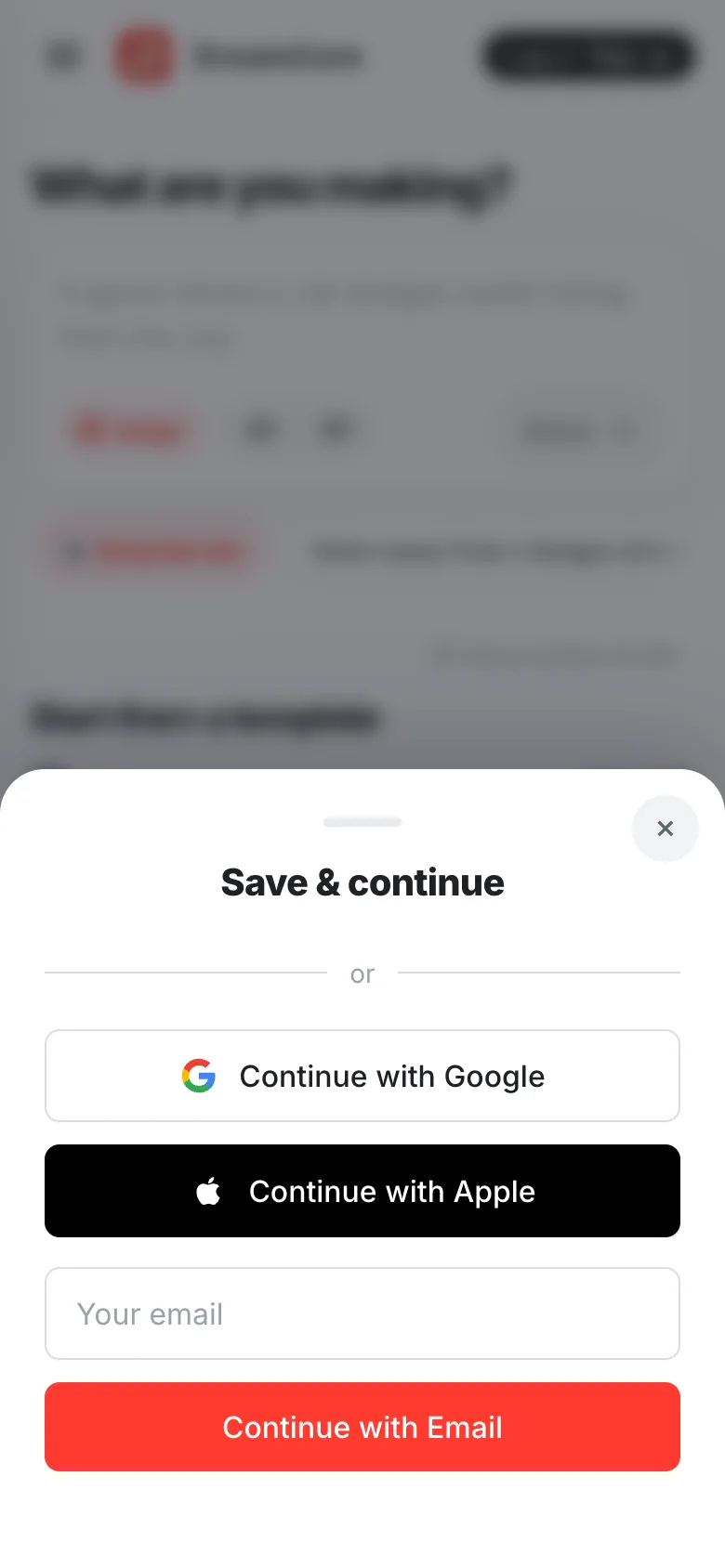
- 02
Use the same one every time
If you started with Google, come back with Google. A different way in makes a different account, and your old games will not be there.
- 03
On another device, just log in
There is nothing to move across. Log in the same way and your games are waiting under
Continueon the home screen.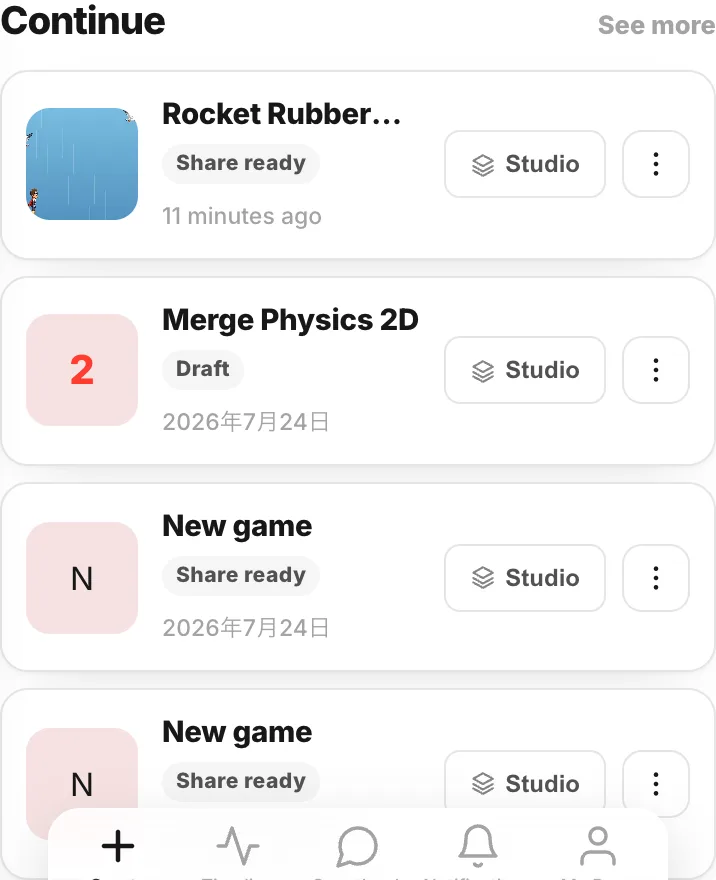
- 04
Find your own stuff on My Page
My Pagein the bottom bar holds every game you made, plus your games, plays and likes counts. Log out is here too.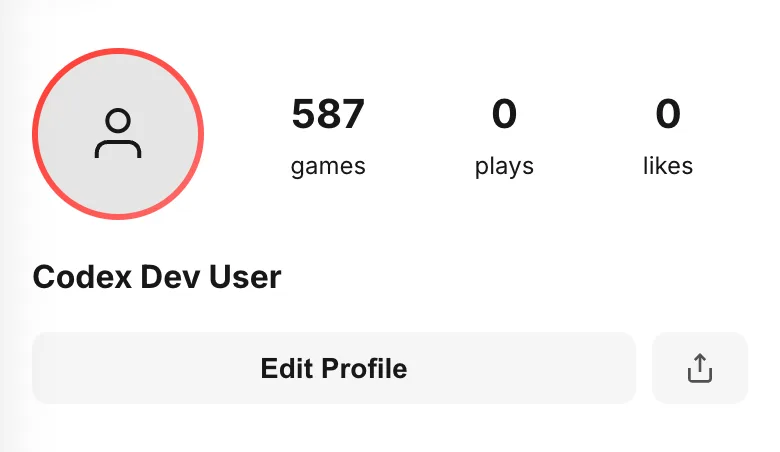
- 05
Choose a name and a picture
Edit Profileis where you set your picture, username, display name and bio. Your username becomes the address of your profile.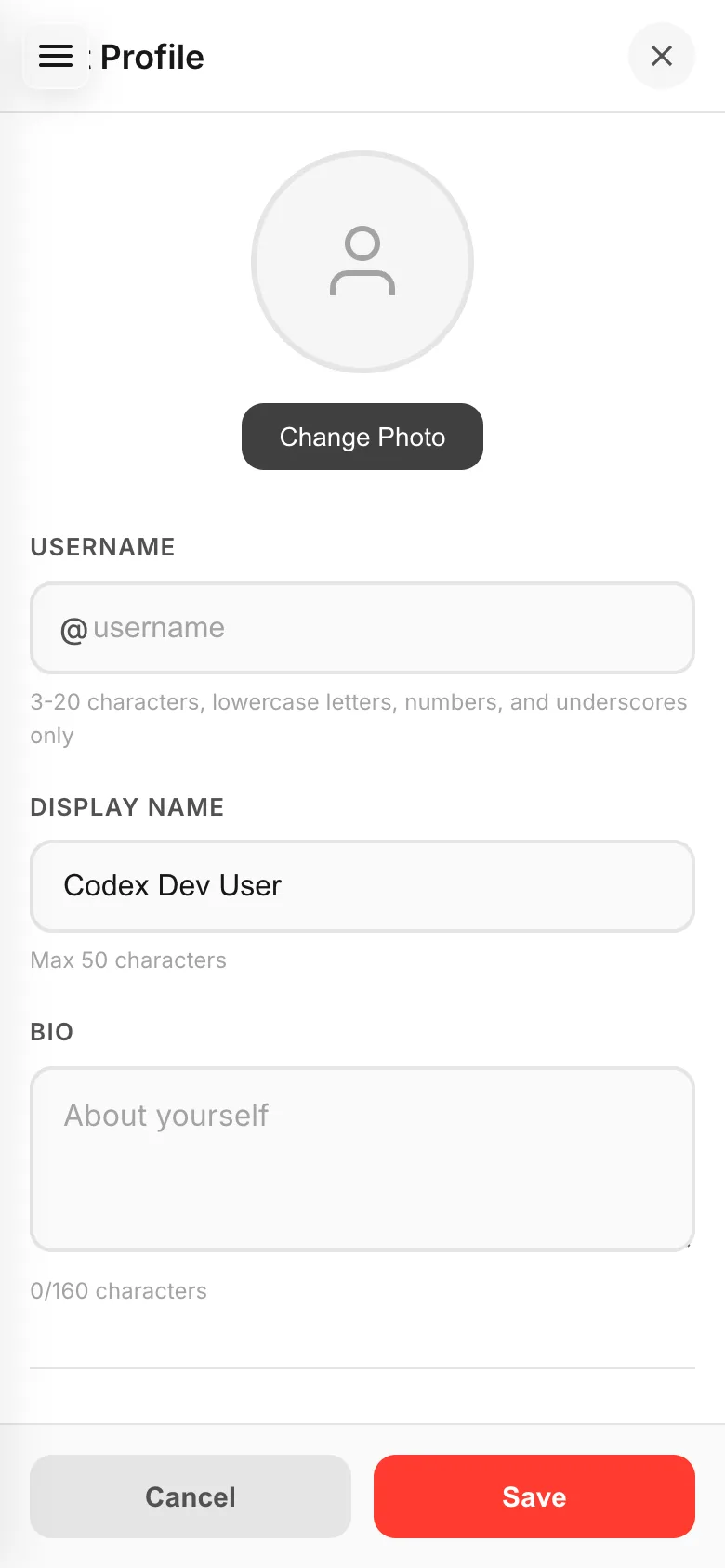
3-20 charactersusername (lowercase letters, numbers, underscores)
50 charactersdisplay name
160 charactersbio
If something goes wrong
- Your old games are missing — you probably logged in a different way. Log out from My Page and come back in the way you used the first time.
- The email link never arrives — check your spam folder. If it still does not show up, use Google or Apple instead.