Ever wonder what kind of games the people playing yours are making?
Tap their icon and you're one tap away.
- 01
Open
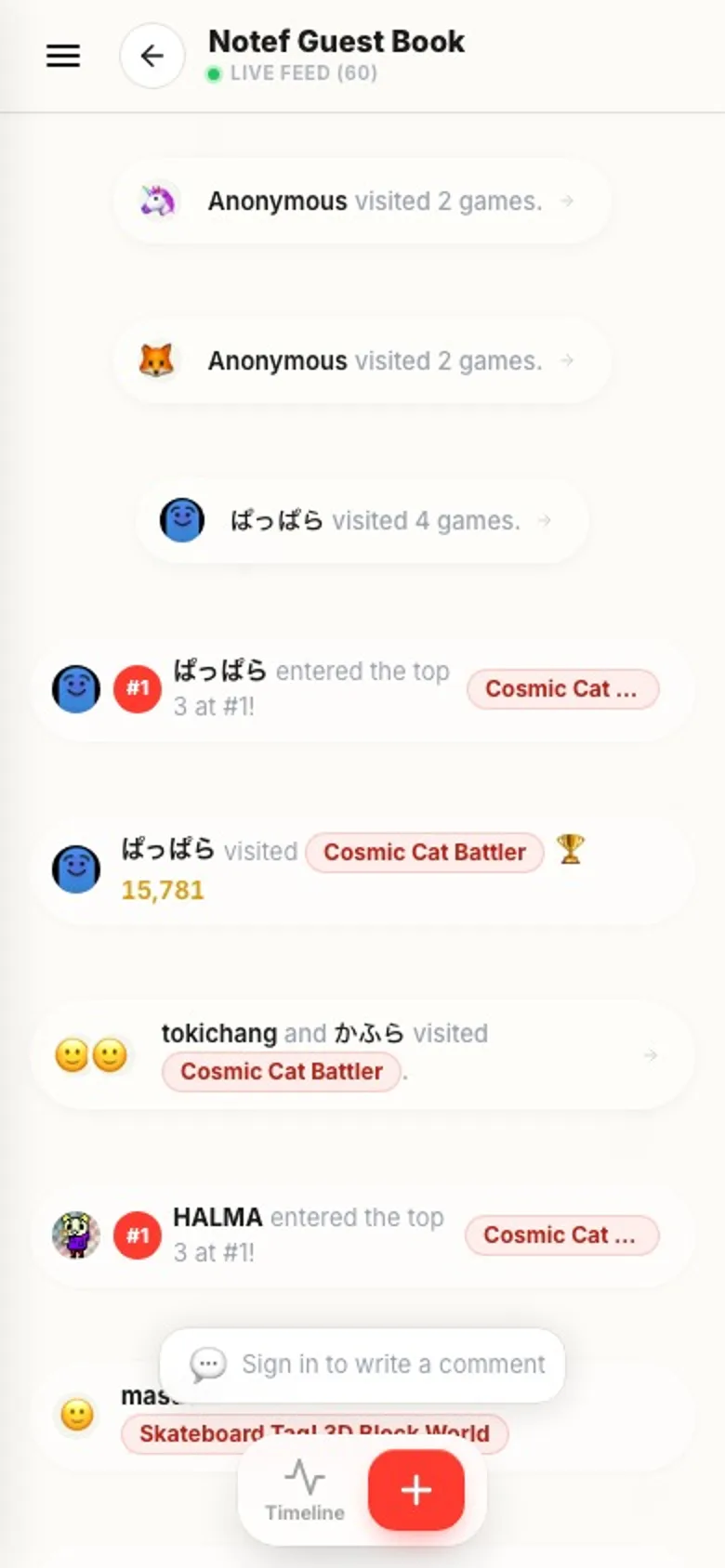
Guestbookin the bottom menuVisits, comments and stamps from across all your games come in as one stream.
- 02
Tap an icon or a name
Visits, rankings, comments, replies, stamps. Wherever someone shows up, tap their icon or name and their sheet opens. A row that groups several people together opens right there when you tap it, with one row per person. Tap the icon or name from there.
- 03
What the sheet shows
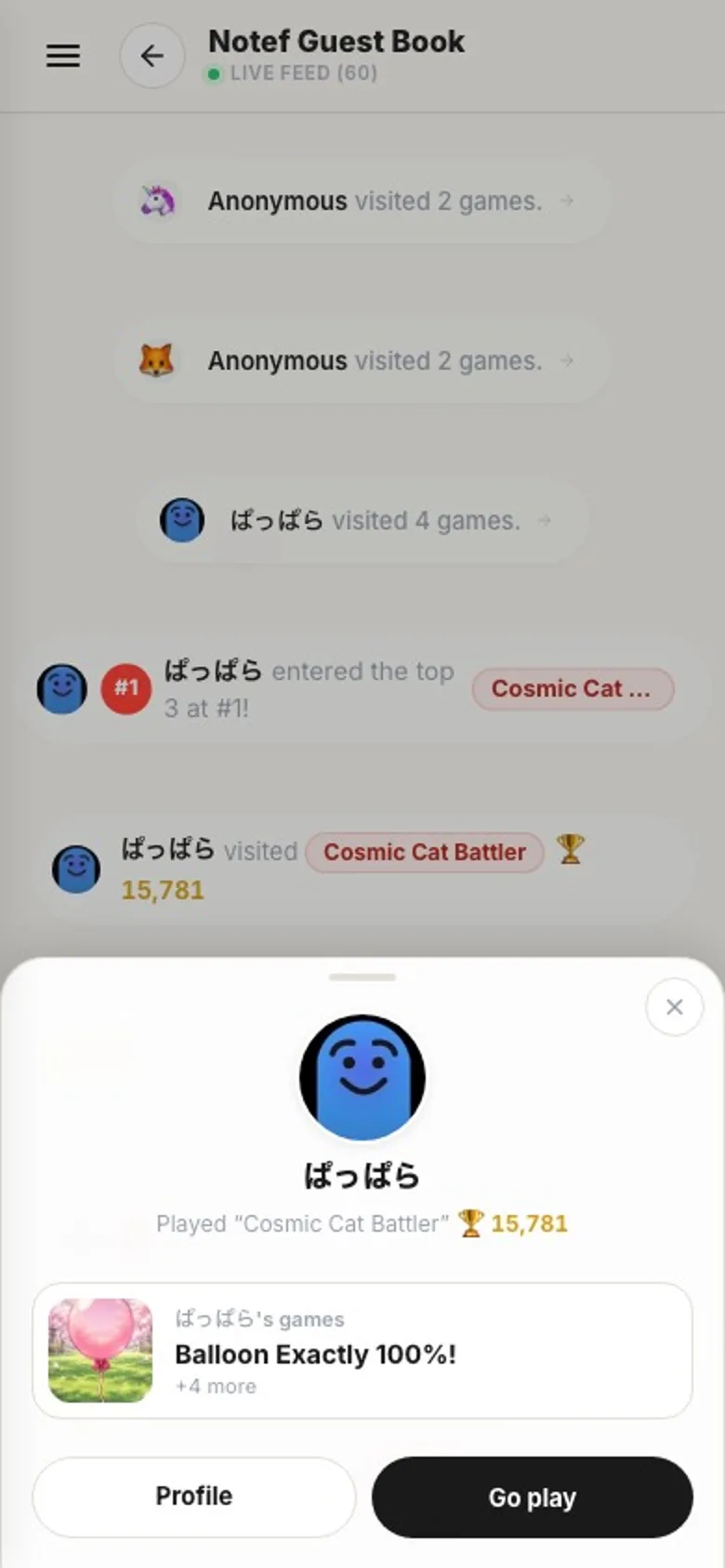
Under their icon and name, a gray line says what they did: played, commented on or stamped one of your games. Below that is a card for their newest game, with the thumbnail, whose games they are, the title and how many more they have.
- 04
Choose
Go playorProfileGo playstarts their newest game right away.Profileopens their page. - 05
Swipe up for the next game
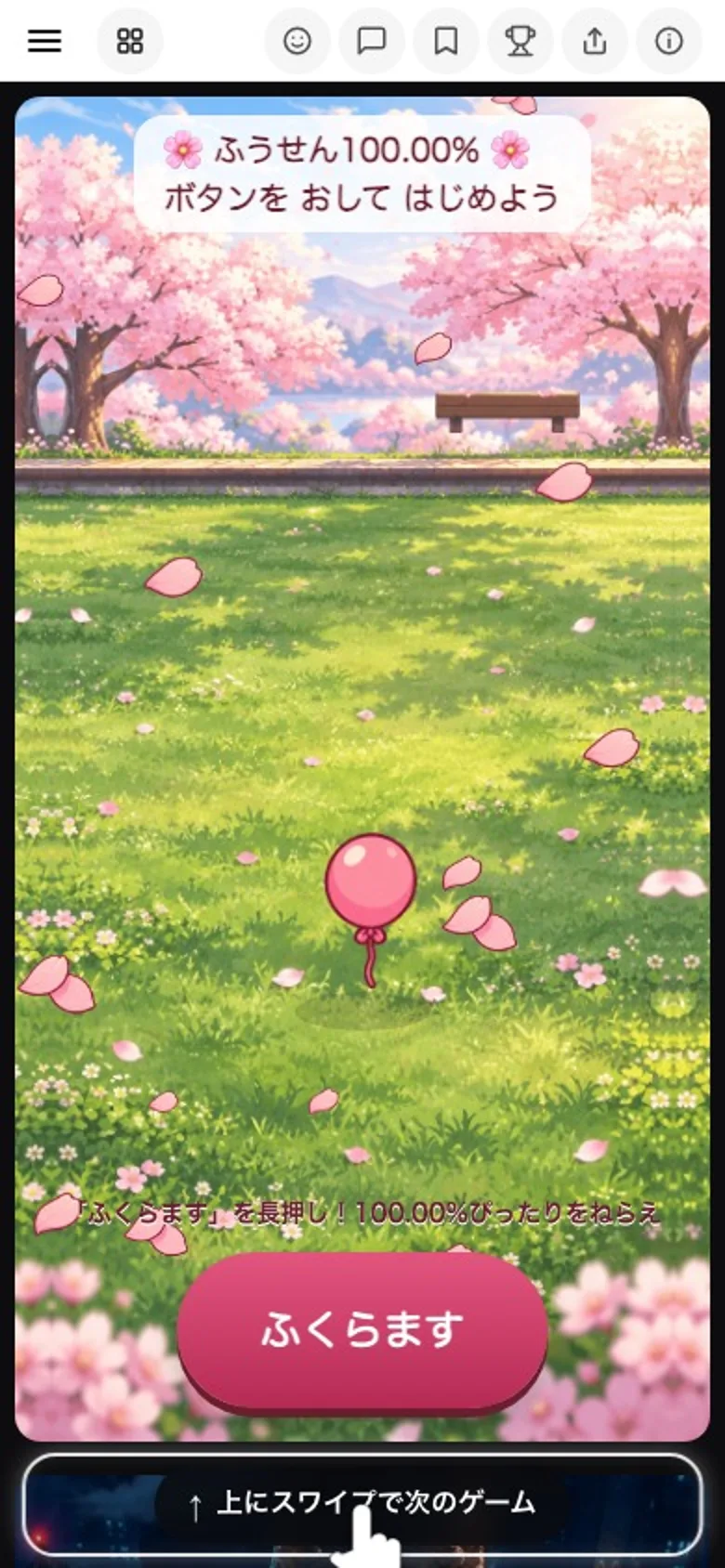
While you're playing, swipe up to keep going through their other games, newest first. After their games, your regular feed picks up from there.
If something goes wrong
It says they haven't published a game yet. If someone hasn't published anything, the sheet says so. Once they do, you can go play from here.
Nothing opens when you tap. Anonymous players who weren't logged in, deleted accounts and private accounts can't be opened.
Do they get notified? Nothing counts who went where, and there's no special notification. When you play their game, it shows up in their Guestbook like any other visit.