This is where visits and reactions from players collect.
You can leave them on other people's games too.
- 01
See the reactions for one game
On the make screen, open
Shareand tap thereactionscount — that game's guestbook opens. Visits, stamps and messages flow from the top. On a game with scores, each person's best score shows too.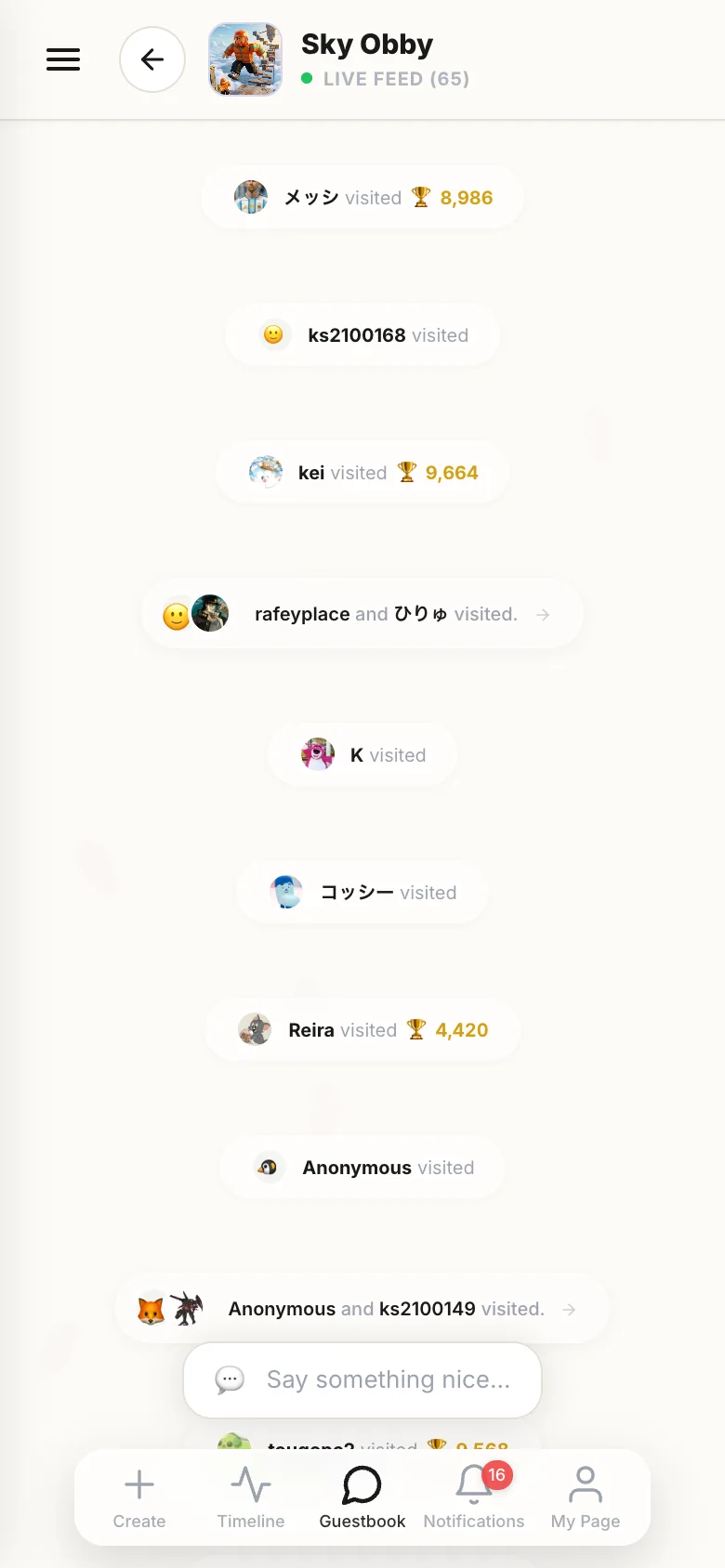
- 02
See all your games at once
Guestbookin the bottom menu puts everything that came in across all your games into one stream. The badge on each name tells you which game it landed on.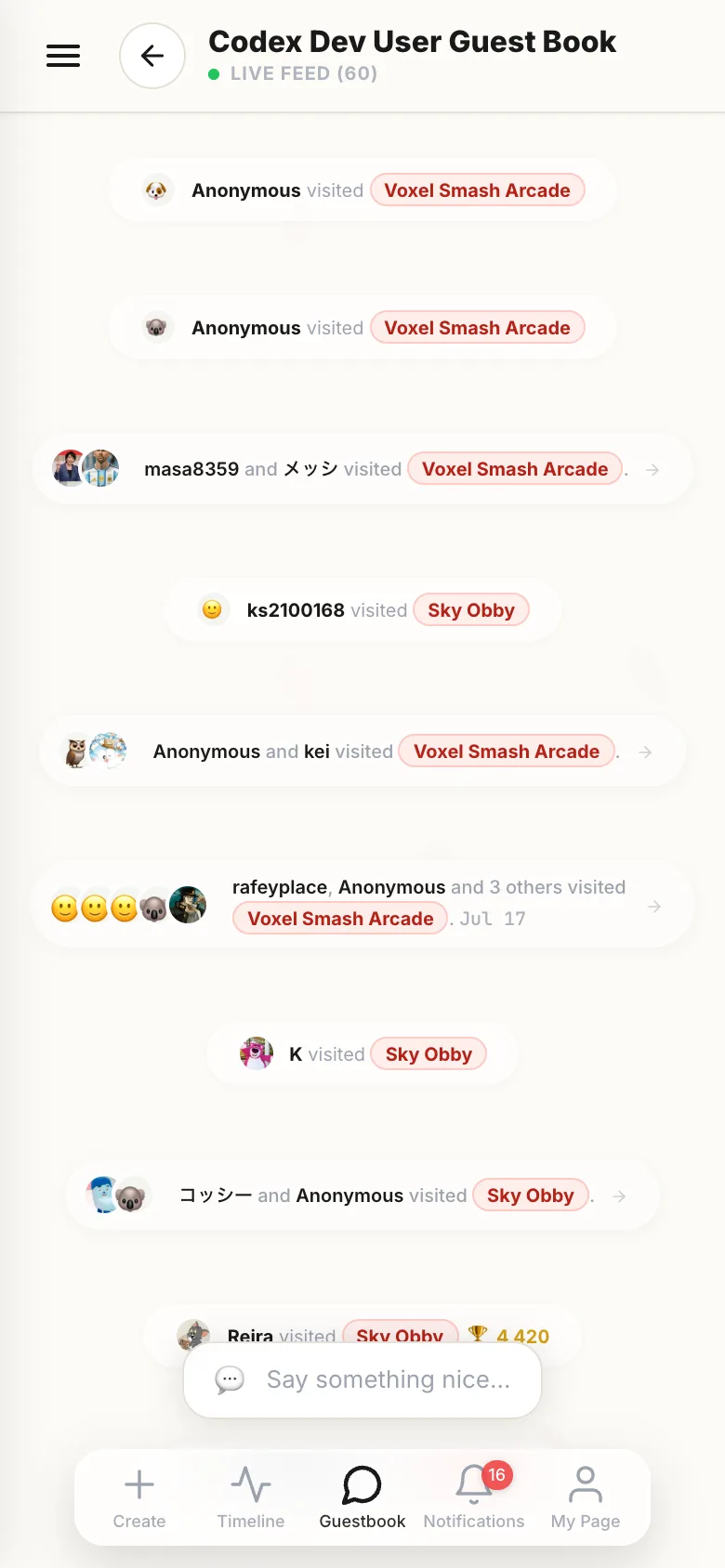
- 03
React to someone else's game
After playing, tap the heart at the top of the screen. Five emoji come out — pick one and it's sent.
- 04
Write a message
The speech bubble next to the heart opens the guestbook. Write in the box at the bottom and send. The face button adds a stamp, the image button adds one photo. You can reply to anyone's message.
If something goes wrong
Reactions and messages both need you to be logged in. If you aren't, a note takes the place of the box.
When someone plays without logging in, they show up as anonymous instead of a name. The visit still lands, you just don't know who it was.